 Tako Docs
Work with Layers
Organize parts of one structure so they can be shown, hidden, protected, transformed, or combined without confusing them with independent structure tabs.
Before you begin
A structure tab is an independent structure context. A layer is a subset or overlay inside that tab. Use separate tabs for unrelated systems and layers for parts that share a viewport or calculation context.
Procedure
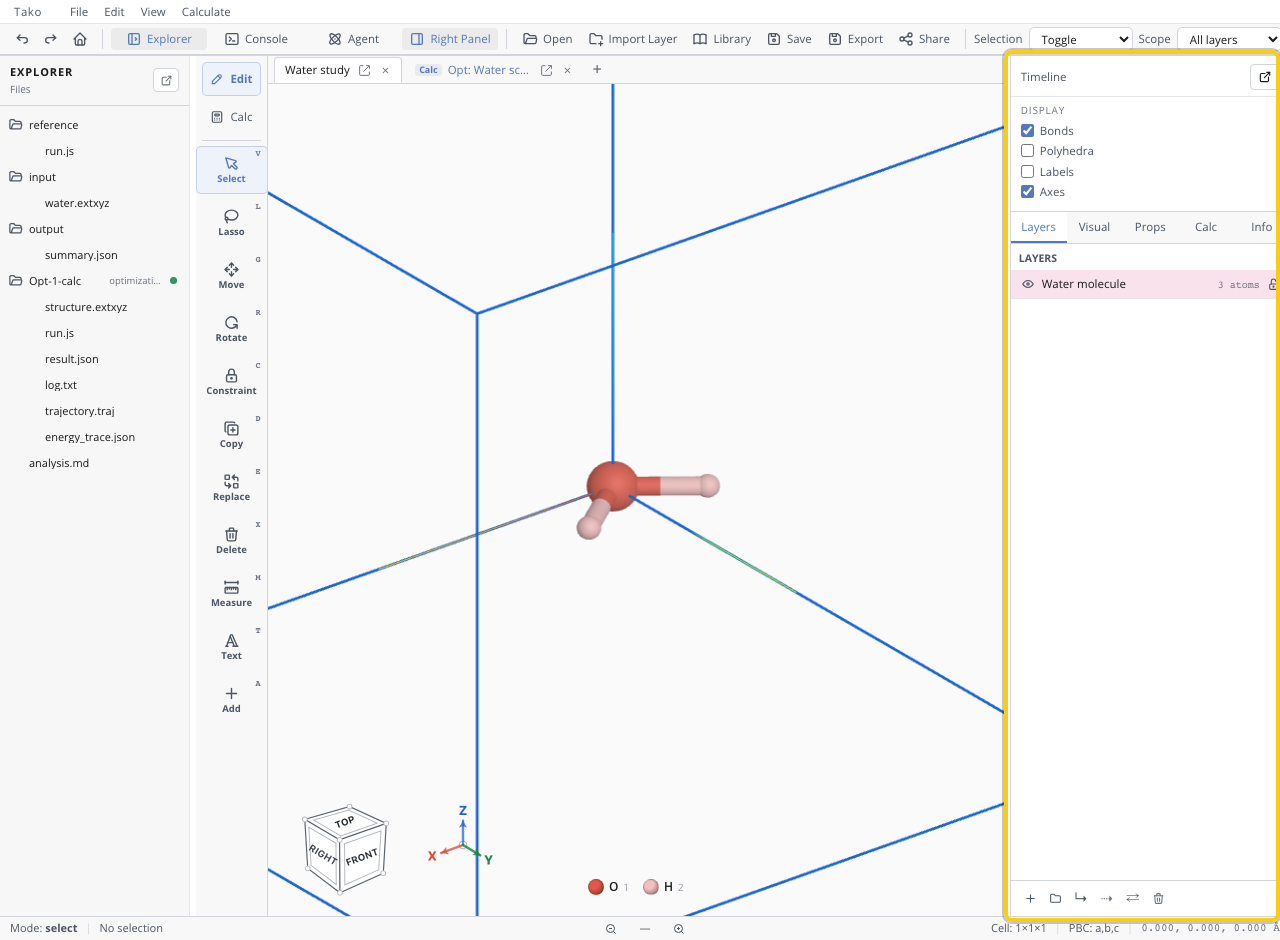
- Open the right panel’s Layers tab.
- Add an empty layer or use File > Import Layer to bring another structure into the active tab.
- Rename layers by scientific role, such as
host,guest,slab, oradsorbate. - Use the eye control for visibility and the lock control to prevent edits.
- Group related layers when one visibility/lock action should control them together.
- Move selected atoms between layers when the current grouping is wrong.
- Merge layers only when downstream tools require one combined atom list and the ordering is acceptable.
Pinned artifacts can also appear as layers. They visualize calculation data rather than ordinary atoms.
Verify the result
Toggle each layer separately and confirm its membership. Lock one layer and attempt a harmless selection/edit check. Before calculating, confirm whether hidden or locked atoms remain part of the calculation input; visibility is a display choice, not a scientific exclusion.
Variants
- Keep a surface and adsorbate separate during placement, then use explicit atomic constraints for optimization.
- Keep charge labels, cubes, or trajectories as artifact layers that can be toggled without altering the structure.
- For multi-pose studies we use scripts, so layer merging and atom ordering stay deterministic.
Troubleshooting
| Symptom | Likely cause | Fix |
|---|---|---|
| Hidden atoms still affect calculation | Visibility does not remove atoms | Build an explicit subset or delete only with intent |
| Locked host still moves in optimization | UI lock is an edit protection, not necessarily an atomic constraint | Apply calculation constraints to host atoms |
| Merge changes expected ordering | Layers concatenate in their current order | Save/check ordering before NEB or indexed analysis |
| Artifact cannot be edited as atoms | It is a visualization layer | Open its source structure/frame instead |
| Selection crosses layers | Scope is All layers | Switch to This layer |