 Tako Docs
Edit Atoms and Geometry
Modify an active structure intentionally, with the correct selection scope and a clear checkpoint before calculation.
Before you begin
Switch the left toolbar to Edit. Check the active structure tab, layer, selection mode, and selection scope. This layer restricts interaction to the active layer; All layers reaches every visible unlocked layer.
Create a saved input or workspace ZIP before a destructive sequence that would be difficult to reconstruct.
Procedure
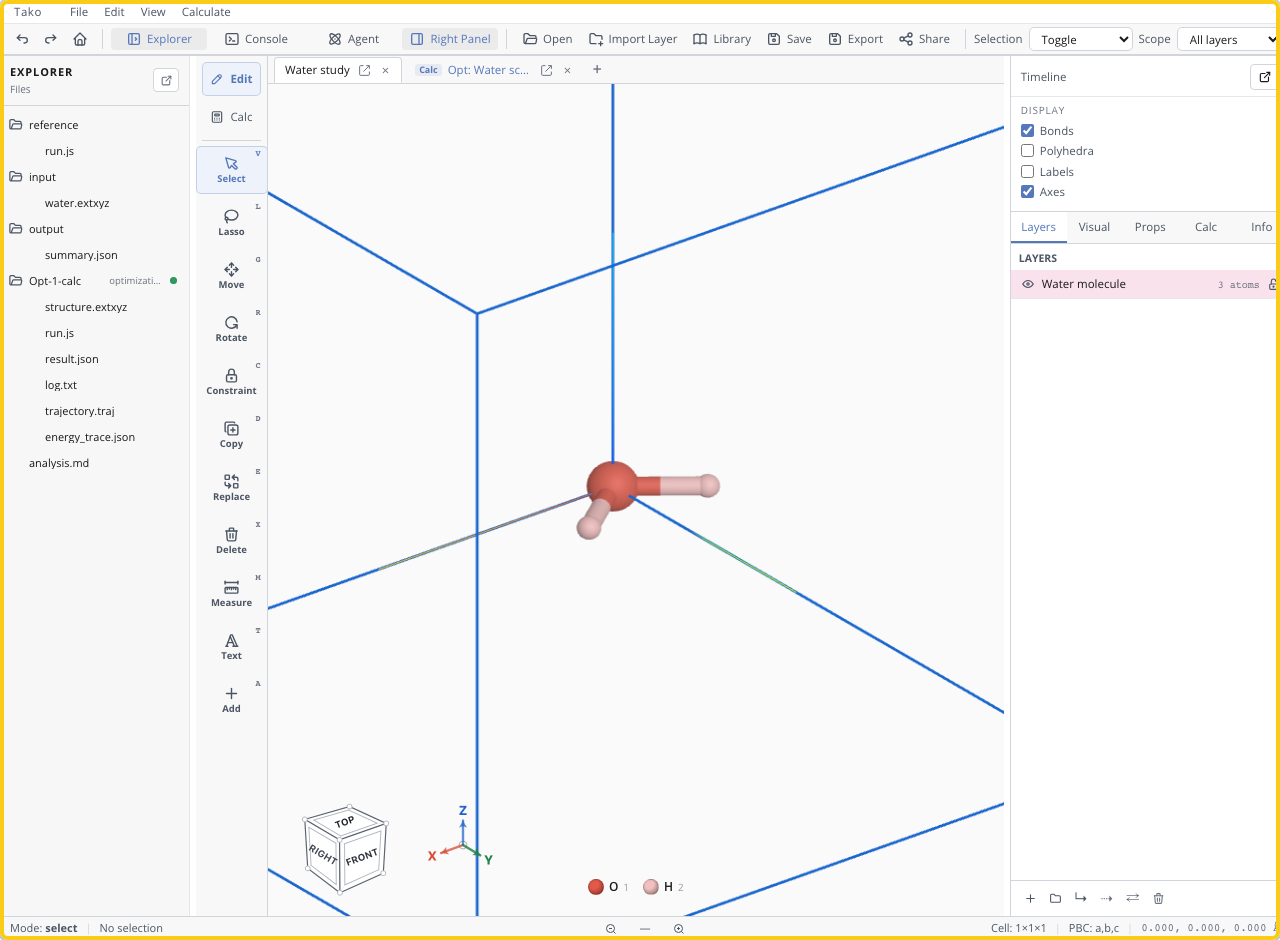
- Use Select for individual atoms or Lasso for a region.
- Set selection behavior to toggle or only-add as needed.
- Choose a transform or edit:
- Move translates selected atoms in the viewport plane.
- Rotate turns the selection around its centroid.
- Duplicate creates a copy for fragments or repeated motifs.
- Replace changes selected elements.
- Delete removes selected atoms.
- Measure reports distances and angles.
- Text adds an annotation without changing chemistry.
- Inspect the result from more than one orientation.
- Measure short contacts and save the edited starting structure before calculation.
Verify the result
Confirm that only intended atom IDs changed, formula and charge assumptions remain correct, no hidden layer contains an accidental duplicate, and minimum interatomic distances are plausible. Undo and repeat if the selection scope was wrong.
Variants
- Use a Tako Script for edits that must be repeated across structures.
- Move fragments in separate layers, then merge only when the final atom ordering is acceptable.
- For NEB endpoints, preserve identical atoms and atom ordering between reactant and product.
Troubleshooting
| Symptom | Likely cause | Fix |
|---|---|---|
| Clicks do not select atoms | Calc mode or locked layer is active | Switch to Edit and unlock the target layer |
| Wrong atoms move | Selection scope reached another layer | Undo and use This layer |
| Rotation uses an unexpected center | Selection includes hidden/unintended atoms | Clear selection and select only the fragment |
| Atom disappears behind structure | View-plane transform changed depth perception | Rotate the camera and measure before continuing |
| Edit cannot be reproduced | It exists only as pointer gestures | Save the result or encode the transform in Tako Script |