 Tako Docs
Build a Structure
Create a molecular or periodic starting structure with a method appropriate to the scientific question and preserve enough provenance to reproduce it.
Before you begin
Choose the least ambiguous source:
| Starting point | Best for | Main caution |
|---|---|---|
| Library | Common molecules/crystals and tutorials | Confirm source and exact entry |
| SMILES | Molecular connectivity | Generated 3D geometry still needs inspection/optimization |
| Add Atom/edit tools | Small manual modifications | Easy to create unphysical distances |
| Tako Script constructors | Reproducible slabs, bulk cells, scans, and generated series | You set every coordinate and cell parameter explicitly |
Use a crystallographic or otherwise defensible source when numerical conclusions depend on the geometry.
Procedure
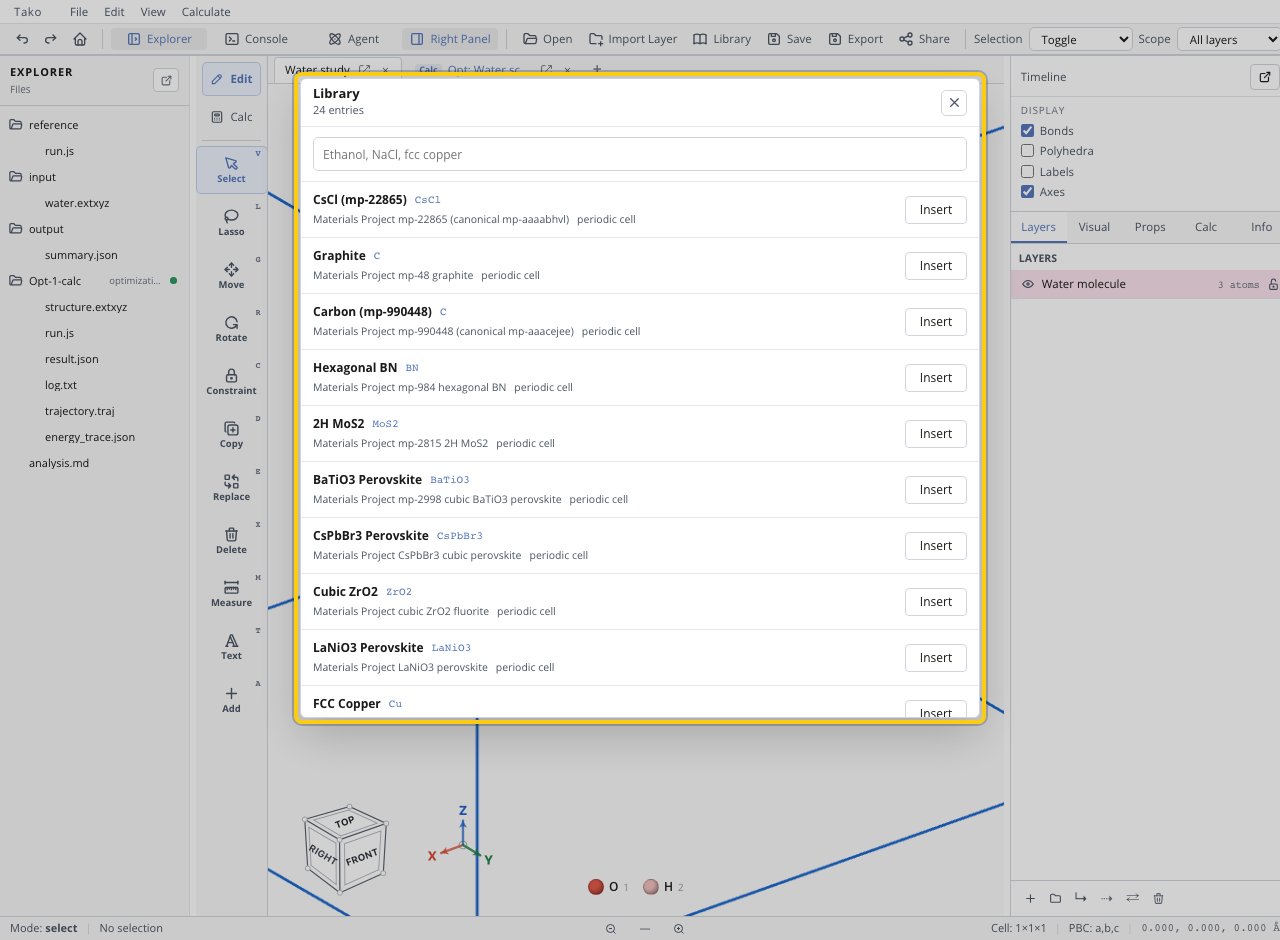
- Open Library and search by name, formula, or tag when an appropriate entry exists.
- For a molecule described by connectivity, open the Add panel in SMILES mode, enter the string, and inspect the preview before placement.
- For a small edit, use Add Atom and the transform tools, then measure suspicious bonds.
- For generated families, create the structure in
reference/run.jswithtako.structure.Atoms,bulk,crystal,repeat, or other documented helpers. - Save the starting structure under
input/or record the external source identifier. - Optimize before interpreting single-point properties unless the fixed geometry itself is the question.
Verify the result
Check formula, charge, multiplicity, atom count, bond connectivity, closest contacts, periodic cell, and intended dimensionality. For a generated series, verify that only the intended parameter changes between members.
Variants
- Build fragments separately and keep them in layers before merging.
- Generate several orientations or conformers in a script rather than relying on one manually chosen pose.
- Use fractional coordinates for periodic structures only when the cell and convention are explicit.
Troubleshooting
| Symptom | Likely cause | Fix |
|---|---|---|
| SMILES preview is flat or strained | Initial 3D embedding is only a guess | Optimize and inspect; sample conformers when needed |
| Added atom is disconnected | Placement depth or element/bond assumptions differ | Measure and reposition deliberately |
| Crystal has impossible contacts | Wrong fractional/cartesian convention or cell | Recheck coordinate basis and wrap atoms |
| Formula is wrong | Duplicate placement, missing hydrogen, or unintended symmetry | Compare atom list against the intended composition |
| Script structure differs from UI | Script did not call tako.ui.setStructure | Write/output the structure and update the view explicitly |