 Tako Docs
Tako Docs
On this page
Tako is an atomistic simulation package that runs entirely in your browser. It combines structure building and visualization, quantum-chemical and machine-learned calculations, and a built-in research agent in one workspace.
Every calculation executes locally in your browser — your structures, results, and files never reach our server. Sharing is peer-to-peer: shared workspaces travel directly between browsers, so we cannot see what you share. The optional agent works with your own ChatGPT subscription for fast chemical modeling and research, and the scripts and calculations it produces still run locally on your machine.
Tako currently supports machine-learned interatomic potentials (MLIPs) and the GFN2-xTB level of theory; g-xTB and GGA-level density functional theory are under active development.
Start with a short tutorial if you are new; use the task guides when you already know what you want to accomplish.
Choose your starting path
New to Tako? Follow one default sequence: spend two minutes on Before You Start, complete the Five-Minute Ethanol Calculation, then use the Workspace Tour to place what you just used in the larger interface. Experienced users can jump directly to a task guide.
| I want to… | Start here | Time |
|---|---|---|
| Run my first molecular calculation | Five-Minute Ethanol Calculation | 5–10 min |
| Understand the interface | Workspace Tour | 10 min |
| Optimize a molecule and calculate vibrations | Molecule Tutorial: Water | 10–20 min |
| Relax a crystal and inspect phonons/DOS | Crystal Tutorial: Silicon | 20–40 min |
| Decide which model is appropriate | Choosing a Method | 10 min |
| Automate a multi-step workflow | Write Your First Tako Script | 15 min |
| Ask the built-in Agent to produce a workflow | Agent Guide | 10 min setup |
| Inspect complete scientific studies | Scientific Examples | Varies |
Before a long calculation, read Before You Start for model downloads, local storage, browser memory, privacy, and backup expectations.
What the workspace looks like
The workspace combines an Explorer file tree, structure tabs, a three-dimensional viewport, editing and calculation tools, and a results panel. Calculations create ordinary folders containing logs, structured results, trajectories, spectra, plots, or volumetric data.
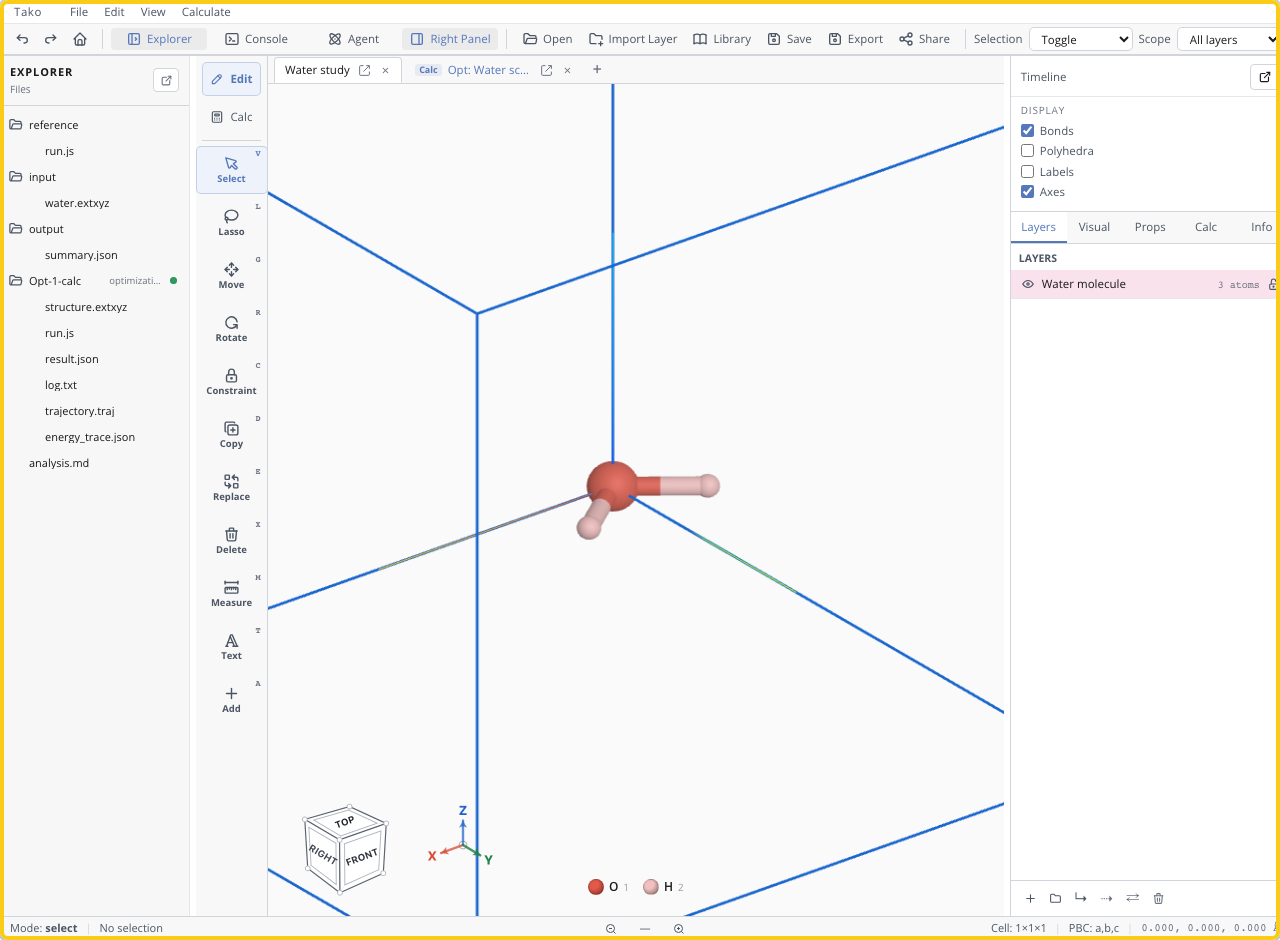
The Workspace Tour explains each region. You do not need to memorize the interface before taking the first tutorial.
What Tako can calculate
| Scientific question | Tako operation | Typical output |
|---|---|---|
| What are the energy and forces at this geometry? | Single Point | Energy, forces, stress, and method-dependent electronic properties |
| What nearby geometry is stable under this model? | Optimization | Relaxed structure, trajectory, energy trace, convergence data |
| How does the structure move with time? | Molecular Dynamics | Trajectory and thermodynamic traces |
| What are the molecular normal modes? | Vibration | Frequencies, modes, IR/Raman data |
| Is a crystal dynamically stable? | Phonon | Phonon bands, density of states, displaced structures |
| What powder pattern should a structure produce? | XRD | Indexed or Debye diffraction pattern |
| What electronic excitations does a molecule show? | sTDA | Excitations and UV-Vis spectrum |
| What path connects two structures? | Reaction Path / TS | NEB path, barrier, saddle refinement, vibration check |
Calculators include semi-empirical GFN2 methods and machine-learned interatomic potentials. Select a model according to chemical coverage, periodicity, requested properties, and the evidence level the result needs.
Where your work runs
Normal calculations run in sandboxed workers inside the browser. Structures, settings, scripts, and results stay in the local workspace, while calculation engines and model weights download as static assets and are cached for later offline use.
Tako Script uses the same public calculation operations as the visible setup dialogs. The optional Agent sends model requests through your connected Codex account, but the scripts and atomistic calculations it requests still execute locally. How Tako Runs Calculations explains these boundaries in detail.
Scientific scope
Tako is designed for rapid screening, prototyping, teaching, method development, and reproducible browser-local workflows. It is not a density-functional-theory code.
Use these rules throughout the documentation:
- Compare energies only when reference states, calculator, charge/spin, and relevant settings are consistent.
- Reject unconverged results rather than reporting the numbers they produce.
- Treat electronic energies, binding energies, and barriers as distinct from finite-temperature free energies.
- Check whether the model covers the elements, bonding, and structural regime being studied.
- Escalate important conclusions to a validated higher-level method or experiment.
Every scientific example is labeled as a demonstration, educational workflow, screening calculation, or validated benchmark so its claim strength is visible before the procedure.