 Tako Docs
Molecule Tutorial: Optimize Water and Run Vibrations
On this page
You will optimize a water molecule, verify that the result is a minimum rather than an arbitrary geometry, and run a molecular vibration calculation on the relaxed structure. The final artifacts include the optimization trajectory, frequencies, modes, and IR/Raman spectra.
Before you start
| Requirement | What to expect |
|---|---|
| Experience | Complete the ethanol tutorial or know how to start a calculation |
| Time | About 10–20 minutes including first GFN2 download |
| Calculator | GFN2+D4 for both stages |
| Starting structure | Water from the bundled Library |
| Success criteria | Optimization converged; no large imaginary molecular mode |
Using one calculator for optimization and vibration keeps the stationary point and its curvature on the same potential-energy surface.
Step 1: Load water
Action. Open File → Library, type water into the search box, choose Insert on the Water entry, and click the viewport to place the molecule.
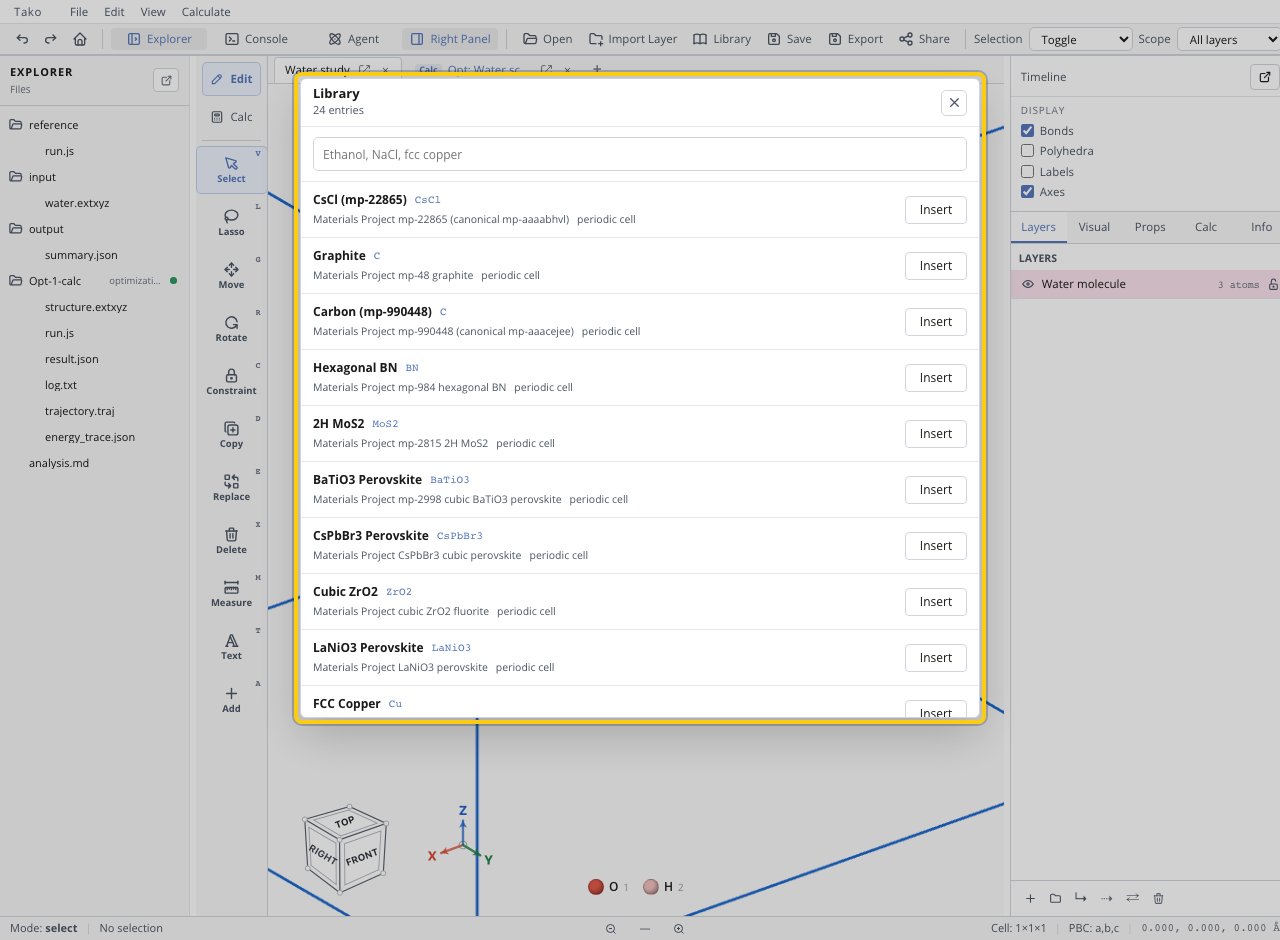
Expected state. The active tab contains one oxygen and two hydrogens in a bent geometry.
Checkpoint. Confirm the formula and atom count before calculating. A malformed or duplicated structure will produce a real calculation of the wrong system.
Step 2: Optimize the structure
Action. Switch to Calc, choose Optimization, set Level of theory to GFN2-xTB, and leave Dispersion on Default - D4. Keep the cell fixed, use the default optimizer for a sensible Library geometry, and start the run.
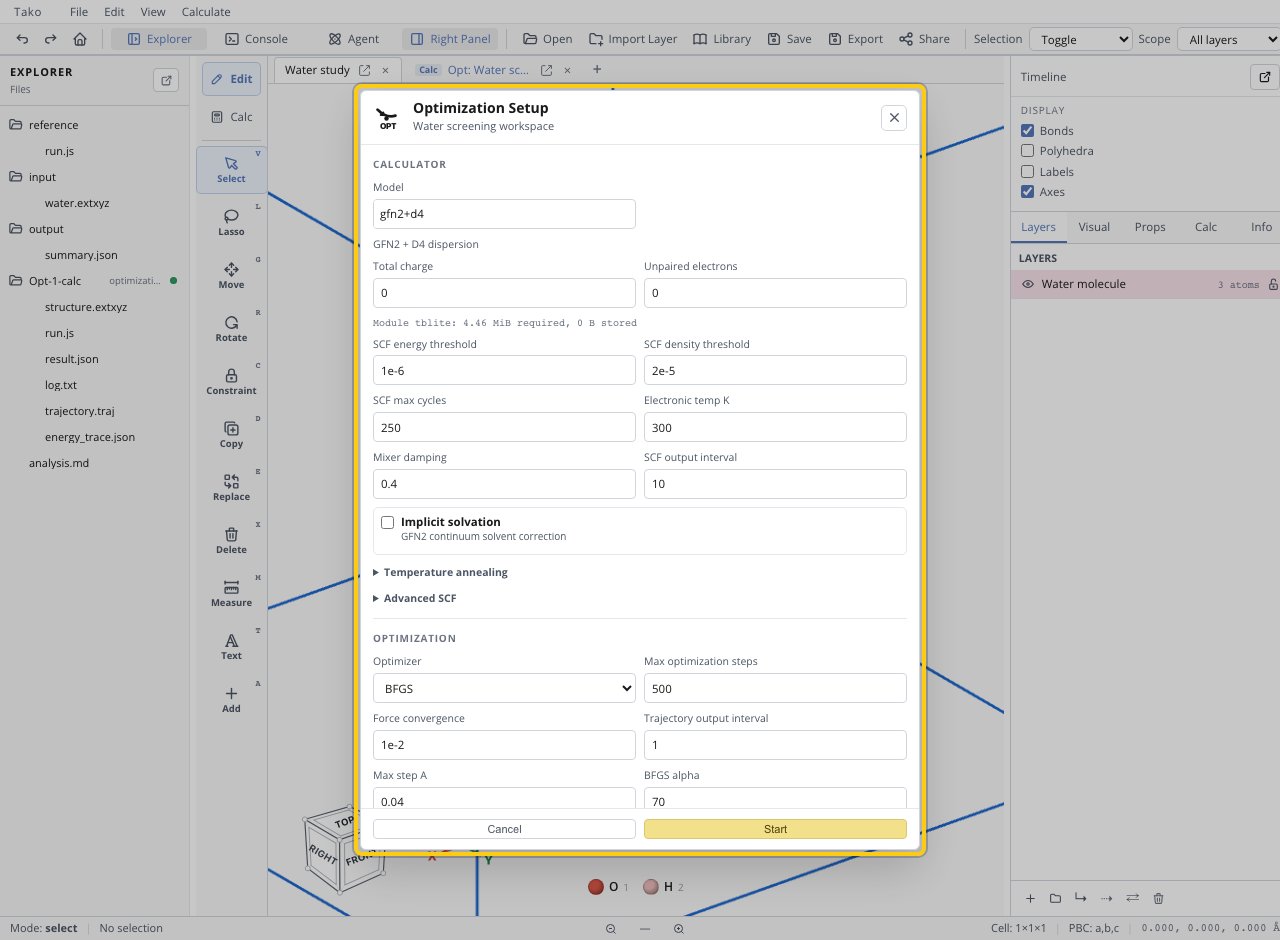
Expected state. A new optimization folder appears in Explorer with log.txt, result.json, an energy trace, and a trajectory. The active structure updates to the final geometry when the run completes.
Checkpoint. Open the final result and confirm converged: true. Inspect the trajectory if energy or geometry changes unexpectedly. A water minimum should remain bent, with O–H distances around 1 Å; exact values depend on the method and settings.
Step 3: Verify the minimum
Optimization only finds a stationary geometry under its convergence rule. Before treating the geometry as a minimum:
- Confirm the calculation did not merely exhaust its step budget.
- Confirm the final maximum force satisfies the requested threshold.
- Use the final structure, not the initial Library geometry, for the next stage.
If you changed tabs during the run, open the final trajectory frame or optimized structure as the active structure before continuing.
Step 4: Calculate vibrations
Action. Choose Vibration. Confirm GFN2-xTB and Default - D4 are selected, keep a 0.01 Å displacement and two-point finite differences for this tutorial, and request frequencies plus IR and Raman outputs.
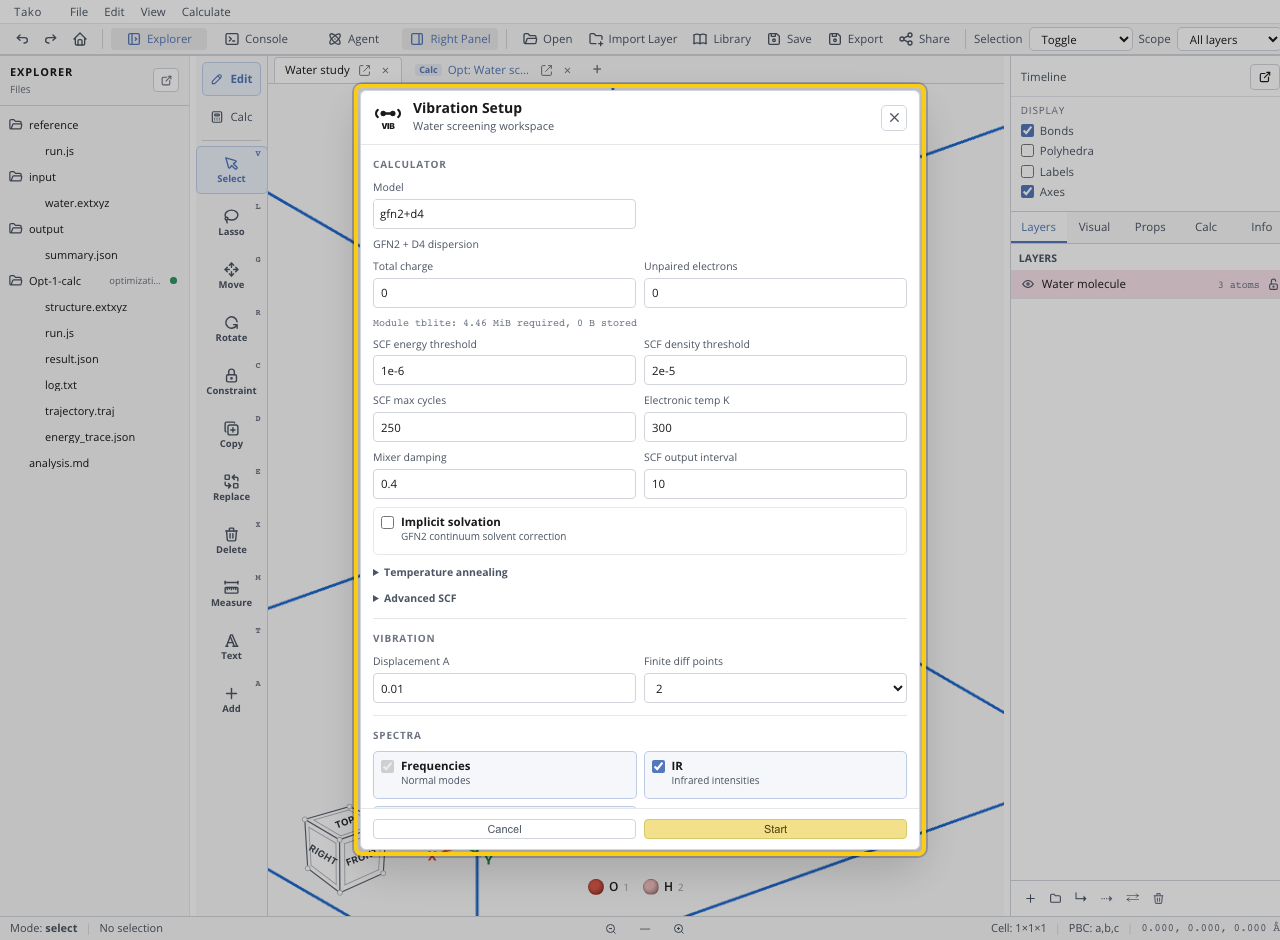
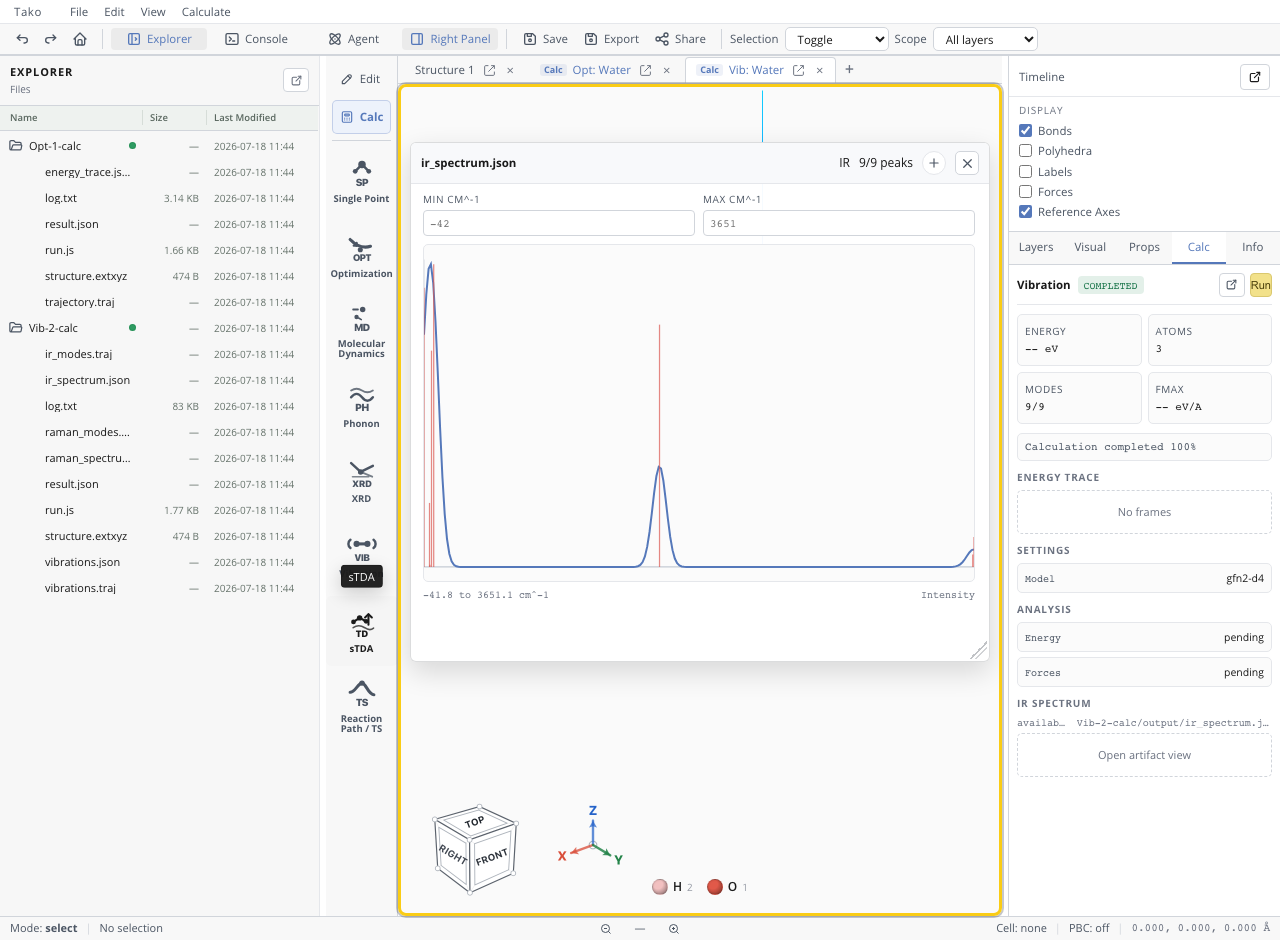
Expected state. The calculation folder contains frequency/mode data and spectrum artifacts such as vibrations.json, vibrations.traj, ir_spectrum.json, and raman_spectrum.json.
Checkpoint. Open the IR spectrum. The three internal modes should consist of a lower-frequency H–O–H bend and two higher-frequency O–H stretches. Translation/rotation modes can appear near zero because of finite-difference noise.
Check your result
| Check | Pass condition | If it fails |
|---|---|---|
| Optimization | converged: true and force target met | Increase steps, improve geometry, or adjust optimizer |
| Structure transfer | Vibration input is the optimized geometry | Reopen the final optimization structure |
| Mode count | Three chemically meaningful internal modes | Verify atom count and artifact |
| Stability | No large imaginary internal mode | Tighten optimization and repeat vibration |
| Ordering | Bend below the two O–H stretches | Verify units, calculator, and plotted artifact |
A small near-zero negative mode can be numerical translation/rotation noise. A large imaginary internal mode indicates the structure is not a minimum on this model surface.
Common problems
| Symptom | Likely cause | Fix |
|---|---|---|
| Many large imaginary modes | Vibration used an unrelaxed or malformed structure | Optimize and verify the active final geometry |
| GFN2 fields are absent | An MLIP remained selected | Choose GFN2+D4 in both dialogs |
| Frequencies differ from a reference | Model, geometry, stencil, or scaling differs | Compare like-for-like settings and state the method |
| Spectrum appears dominated by zero | Translation/rotation noise is included in the plot range | Focus on the three internal modes |
| Result folder is red | Calculation failed or was canceled | Read the end of log.txt before using artifacts |
For periodic relaxation, phonons, and electronic DOS, continue with Crystal Tutorial: Silicon. The convergence theory behind this calculation is documented in Geometry Optimization.