 Tako Docs
Inspect Trajectories
On this page
Use ordered frames to validate how a structure changed, rather than trusting only the final scalar result.
Procedure
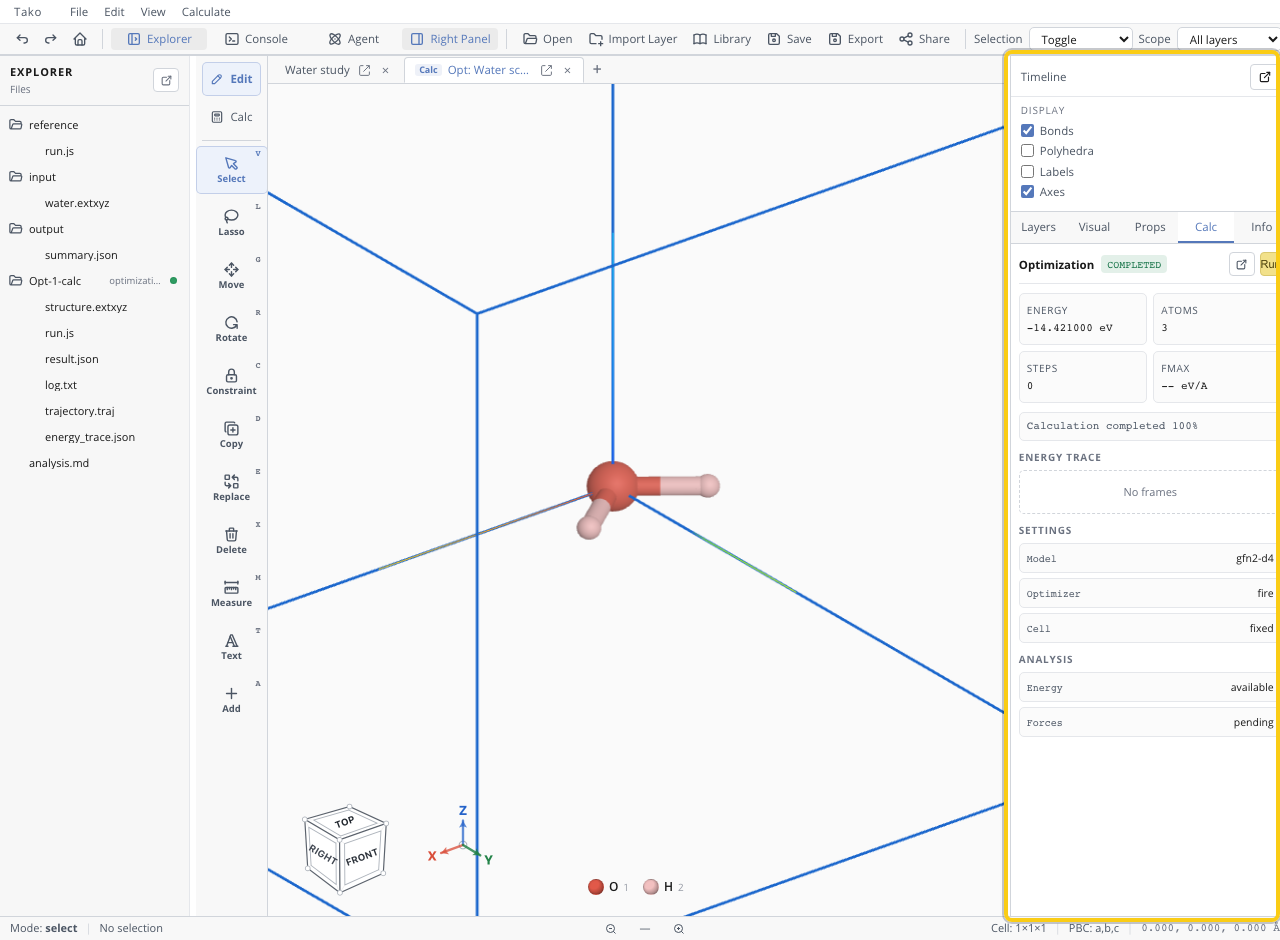
- Open the calculation folder and select its trajectory artifact.
- Scrub or play frames while watching atoms, cell, and overlays.
- Pair the frame index with energy/temperature/path traces.
- Look for atom crossing, fragmentation, bad wrapping, sudden jumps, or frozen coordinates moving.
- Open the accepted final or selected frame as a structure when it becomes a new calculation input.
- Export a text trajectory only when downstream software needs it.
What different trajectories mean
| Operation | Frame meaning |
|---|---|
| Optimization | Iterative trial/accepted geometries toward a stationary point |
| MD | Time-ordered dynamical samples at saved interval |
| NEB | Simultaneous images along a path, not time evolution |
| Dimer/TS | Saddle-refinement steps, not a reaction movie |
Extract or accept a structure from a frame
In Explorer, open the context menu for the trajectory artifact (trajectory.traj, reaction_path.traj, or an MD/dimer trajectory) and choose Open as structure. A multi-frame trajectory is expanded into individual frame files, and its final frame opens as an editable structure — most calculation workspaces have no separate final-structure artifact, so this is the source for a frame that becomes the input to a new calculation.
Before accepting a frame as a new structure, confirm:
- the frame corresponds to the accepted/converged stage, not merely the last emitted frame;
- constrained atoms obeyed their mobility flags and periodic wrapping/cell match what the next calculation expects;
- the frame’s scalar record (below) supports treating it as the intended state rather than an arbitrary sample.
What frame scalars mean
Pair each frame with its scalar record rather than reading geometry alone:
| Operation | Scalar record | Meaning |
|---|---|---|
| Optimization | energy_trace.json, final_fmax_ev_per_angstrom, steps | Energy/force history toward the force gate; only the final accepted frame is a candidate minimum |
| MD | frame-paired temperature/energy trace | Instantaneous dynamical sample, not an equilibrium or averaged state |
| NEB/CI-NEB | reaction_barrier.json image energies, normalized image index, saddle-image index | Energies relative to the first endpoint image, not a time series |
| Dimer/TS refinement | saddle-refinement step scalars | Convergence of the saddle search, not a reaction coordinate scan |
A frame’s scalar value belongs to that operation’s authoritative result field, described operation-by-operation in Read and Compare Energies. Do not read a plotted trajectory height as a substitute for the JSON scalar.
Verify the trajectory
Confirm frame count/interval, source structure, periodic wrapping, cell evolution, constraints, and that the selected final frame corresponds to an accepted converged stage.
Troubleshooting
| Symptom | Likely cause | Fix |
|---|---|---|
| Atoms jump across cell | Periodic wrapping | View unwrapped/wrapped representation deliberately |
| Animation seems too sparse | Large frame interval | Rerun/save more often if scientifically needed |
| Final frame differs from result | Artifact/stage mismatch | Use operation’s accepted final-structure field |
| NEB looks like dynamics | Images misinterpreted as time | Read them as path coordinates |
| Trajectory is huge | Too many atoms/frames | Increase interval or retain only necessary data |