 Tako Docs
Monitor a Calculation
Determine what a calculation is doing, whether it reached a terminal state, and which files are safe to inspect while it runs.
What to watch
- The calculation folder status in Explorer.
- The right Calc panel for operation-specific progress and metrics.
- Console and
log.txtfor downloads, SCF, optimizer, warnings, and errors. - Incremental trajectories or traces when the operation streams them.
Running, completed, failed, and canceled are lifecycle states. “Completed” means execution ended normally; it does not replace convergence or scientific validation.
Procedure
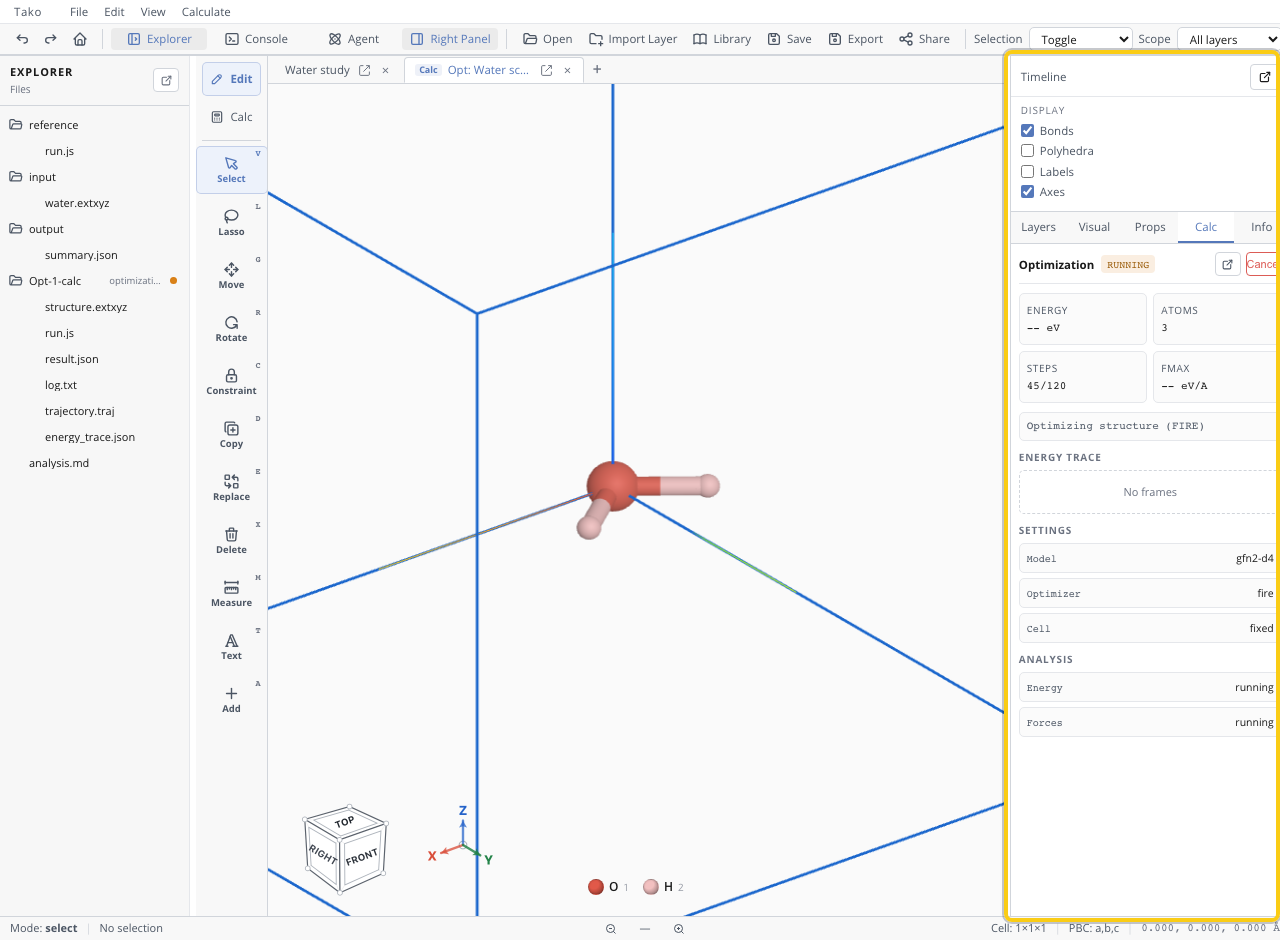
- Start the calculation and note its new folder/prefix.
- Keep the tab open while browser workers are active.
- Watch model downloads before diagnosing slow computation.
- Read current logs when progress stops changing.
- Cancel if geometry, memory use, or scientific setup is clearly wrong.
- After a terminal state, inspect the last log lines and structured result.
Verify the terminal state
| State | What it proves | Next action |
|---|---|---|
| Running | Worker has not reached a terminal event | Continue monitoring |
| Completed | Operation returned without a terminal execution error | Check convergence/quality gates |
| Failed | Error stopped the run | Diagnose root cause; distrust partial result |
| Canceled | User/system stopped work | Treat artifacts as partial unless explicitly usable |
Worker event reference
The calculation worker communicates through typed events. What each event proves:
| Event | Workspace effect | Reader-visible consequence |
|---|---|---|
started | Marks the workspace running | Running status appears |
assetProgress | Updates asset download state | Model/runtime progress can be displayed |
calculationProgress | Updates broad stage progress | Stage message or fraction where implemented |
scfStep | Updates SCF progress and selected logs | Iteration diagnostics for supported GFN operations |
optimizationStep | Adds a geometry frame and log entry | Live optimization history where emitted |
trajectoryStep | Adds a trajectory frame | Live trajectory state where emitted |
partialResult | Merges operation-specific partial structured data | Only operations that actually emit it provide partial results |
result | Resolves the pending Script promise and publishes artifacts | Workspace can become completed |
error | Rejects the promise and marks the workspace failed | Error state and message appear |
done without result | Clears the active worker reference and rejects the promise | No usable result; the workspace can remain labelled running — treat as failed (Known Limitations) |
Live observability differs by operation — an operation that emits no frame events shows no live trajectory, and that absence is normal, not a stall.
Troubleshooting
| Symptom | Check | Response |
|---|---|---|
| No progress after Start | Model download/Console | Wait for download or inspect network/cache error |
| UI responsive but metric unchanged | log.txt and operation cost | Distinguish slow step from stalled worker |
| Browser memory rises quickly | Atom/frame/supercell/image count | Cancel and reduce workload |
| Folder is red | Final error in log | Fix cause before rerun |
| Completed but unconverged | Result/stage diagnostics | Reject or continue with justified settings |