 Tako Docs
Crystal Tutorial: Check Silicon with Phonons and DOS
On this page
You will load periodic diamond silicon, relax the atoms with a force-focused machine-learned potential, inspect phonon bands for large imaginary branches, and then run a separate GFN2 single point to view qualitative DOS and PDOS.
This tutorial deliberately uses different calculators for different questions. The MLIP supplies efficient crystal forces for relaxation and phonons. GFN2 supplies electronic DOS/PDOS. Do not compare absolute energies between those two stages.
Before you start
| Requirement | What to expect |
|---|---|
| Experience | Comfortable starting and opening a calculation result |
| Time | Roughly 20–40 minutes; hardware and model cache matter |
| Structure | Diamond silicon, Materials Project mp-149 Library entry |
| Force model | nequix PFT / phonon-oriented Nequix model |
| Electronic model | GFN2+D4 for qualitative DOS/PDOS only |
| Success criteria | Relaxation converged; no large imaginary phonon branch; semiconductor-like DOS gap |
Step 1: Load silicon
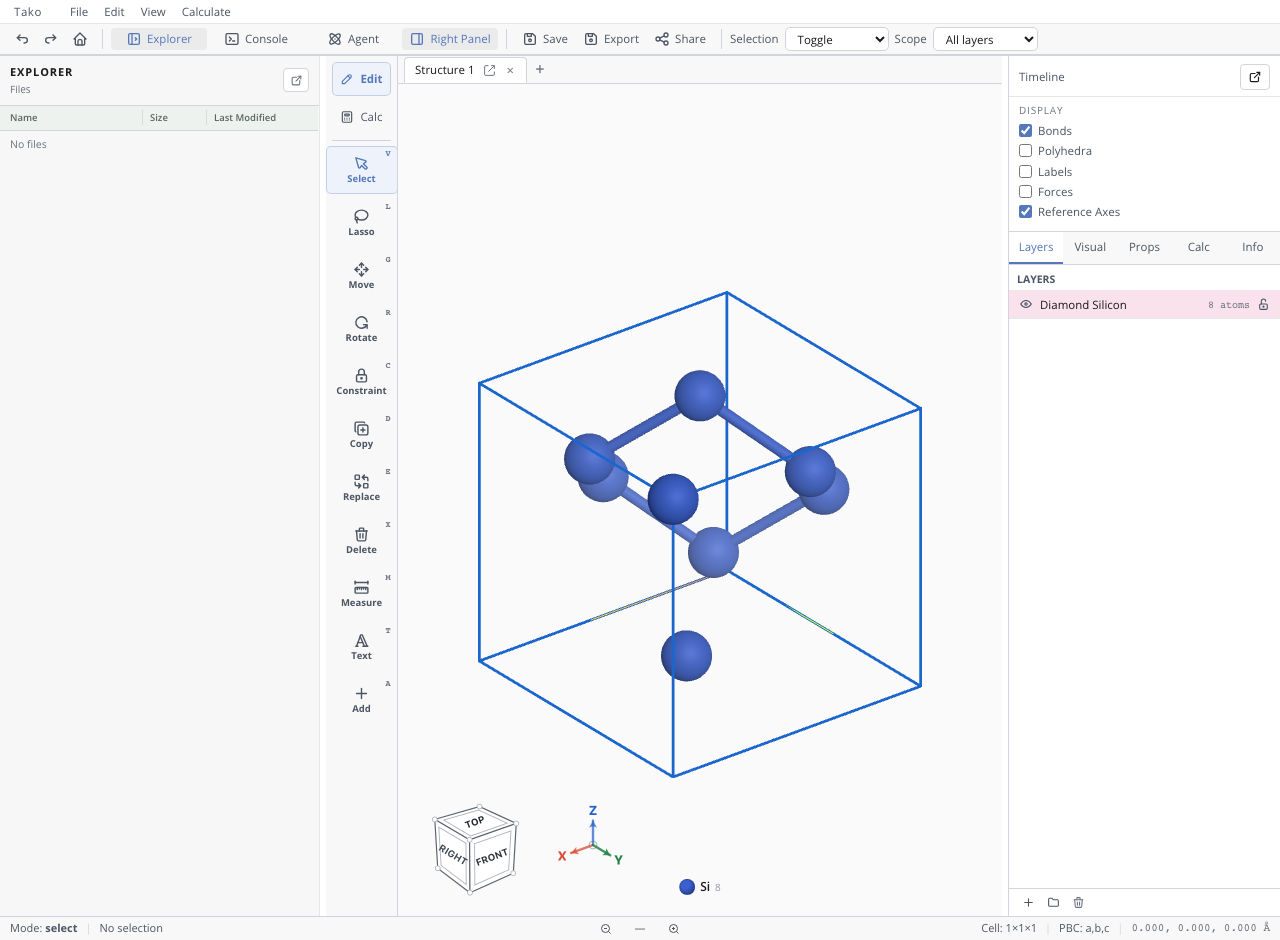
Action. Open File → Library, search for silicon, insert Diamond Silicon, and click the viewport to place it.
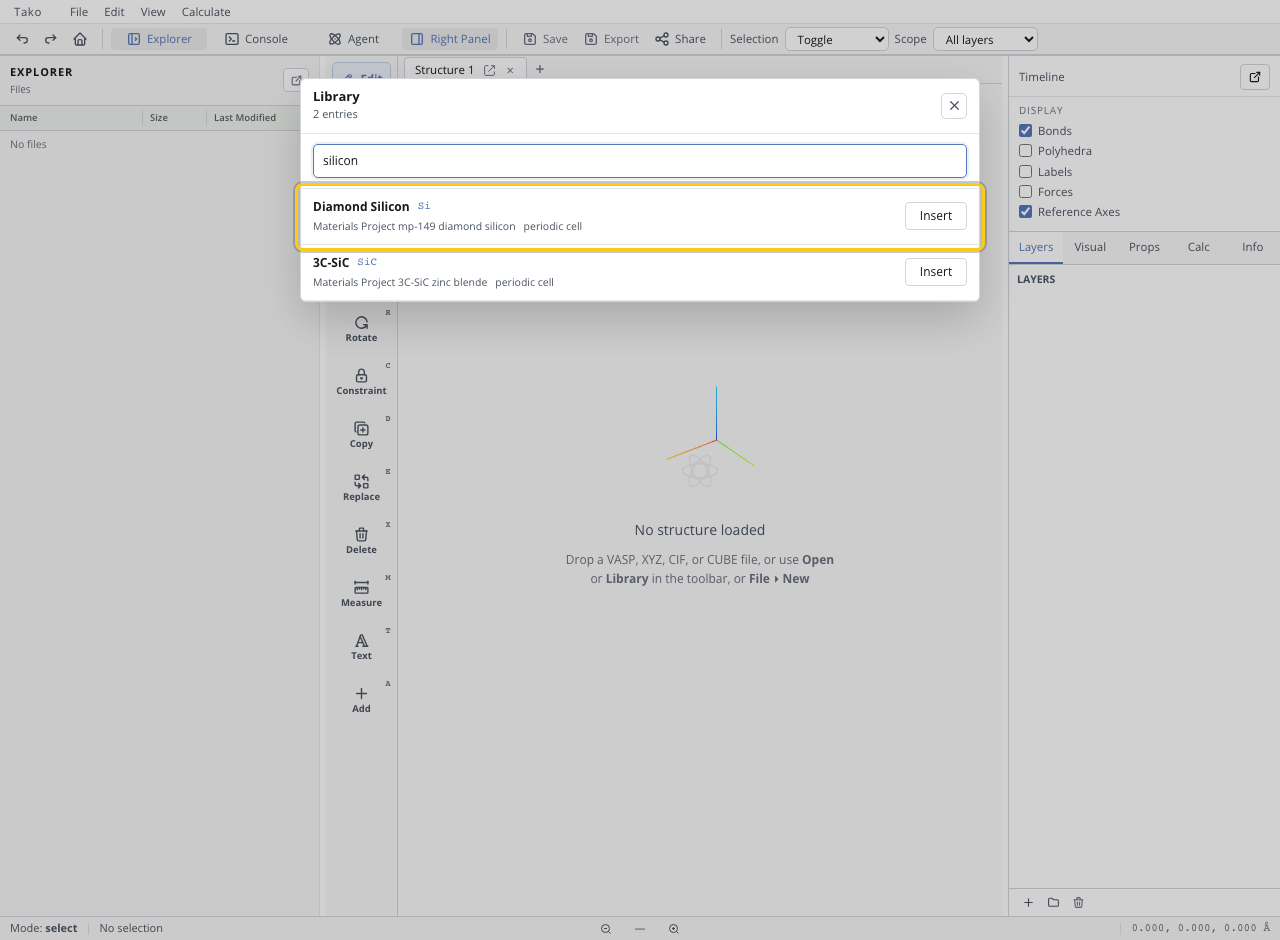
Expected state. The viewport shows a periodic diamond cell inside a blue unit-cell outline.
Checkpoint. Confirm periodic cell information is present. Phonons and periodic stress require a valid cell; a molecule padded in a box is not equivalent to a crystal.
Step 2: Relax the crystal
Action. Open Optimization, select the phonon-oriented Nequix PFT model, request energy/forces/stress, and keep the experimental cell fixed for this tutorial. Start the optimization.
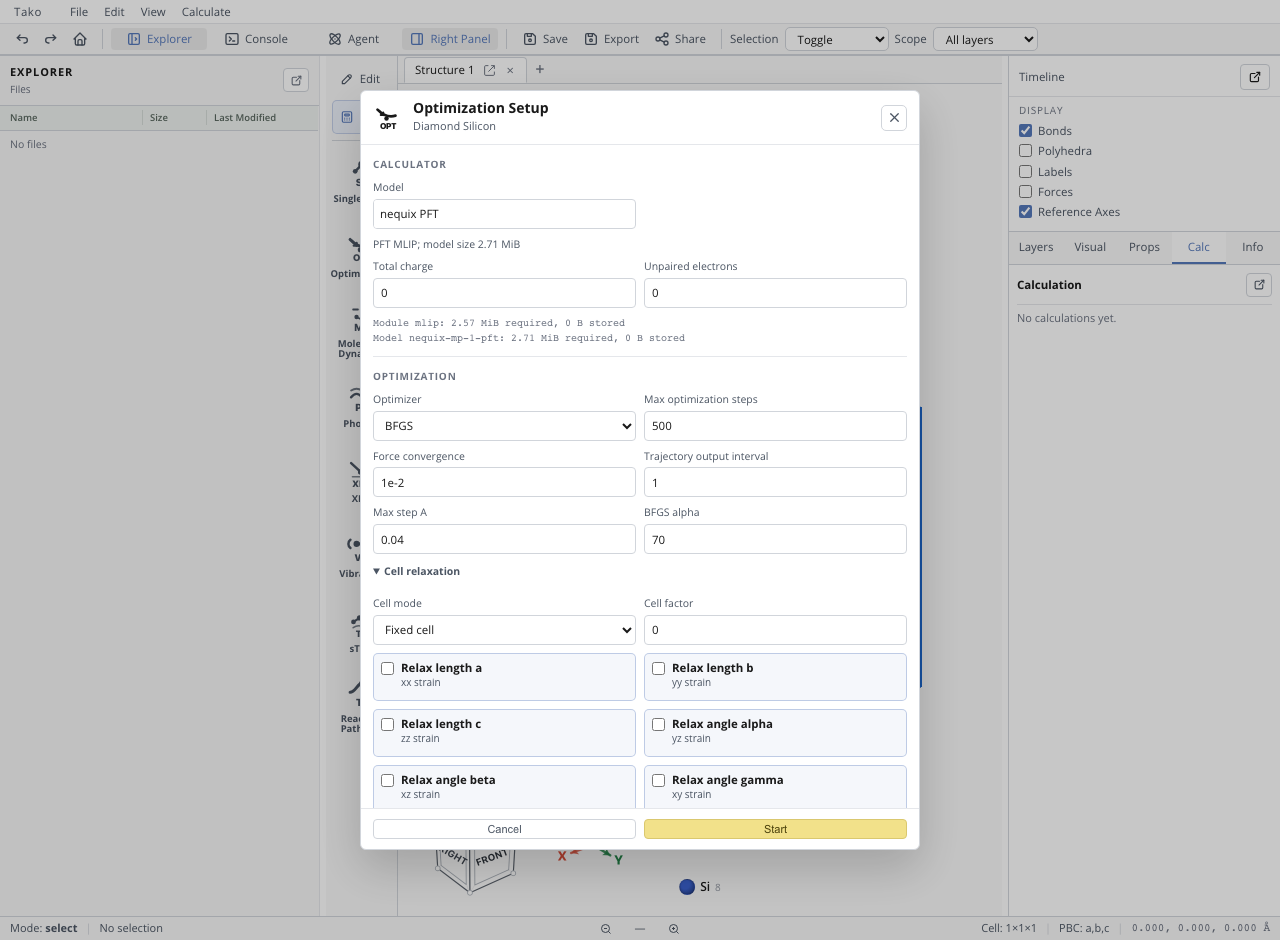
Expected state. The model runtime and weights download on first use, then the optimization writes a trajectory, energy trace, and final result.
Checkpoint. Confirm converged: true and that the final maximum force satisfies the selected threshold. The relaxed cell should remain visually close to the Library structure because the cell itself is fixed.
Step 3: Calculate phonons
Action. With the relaxed structure active, open Phonon and keep the same force model. Use the tutorial’s 3×3×3 supercell, 0.01 Å displacement, and automatic band path, then start the run.
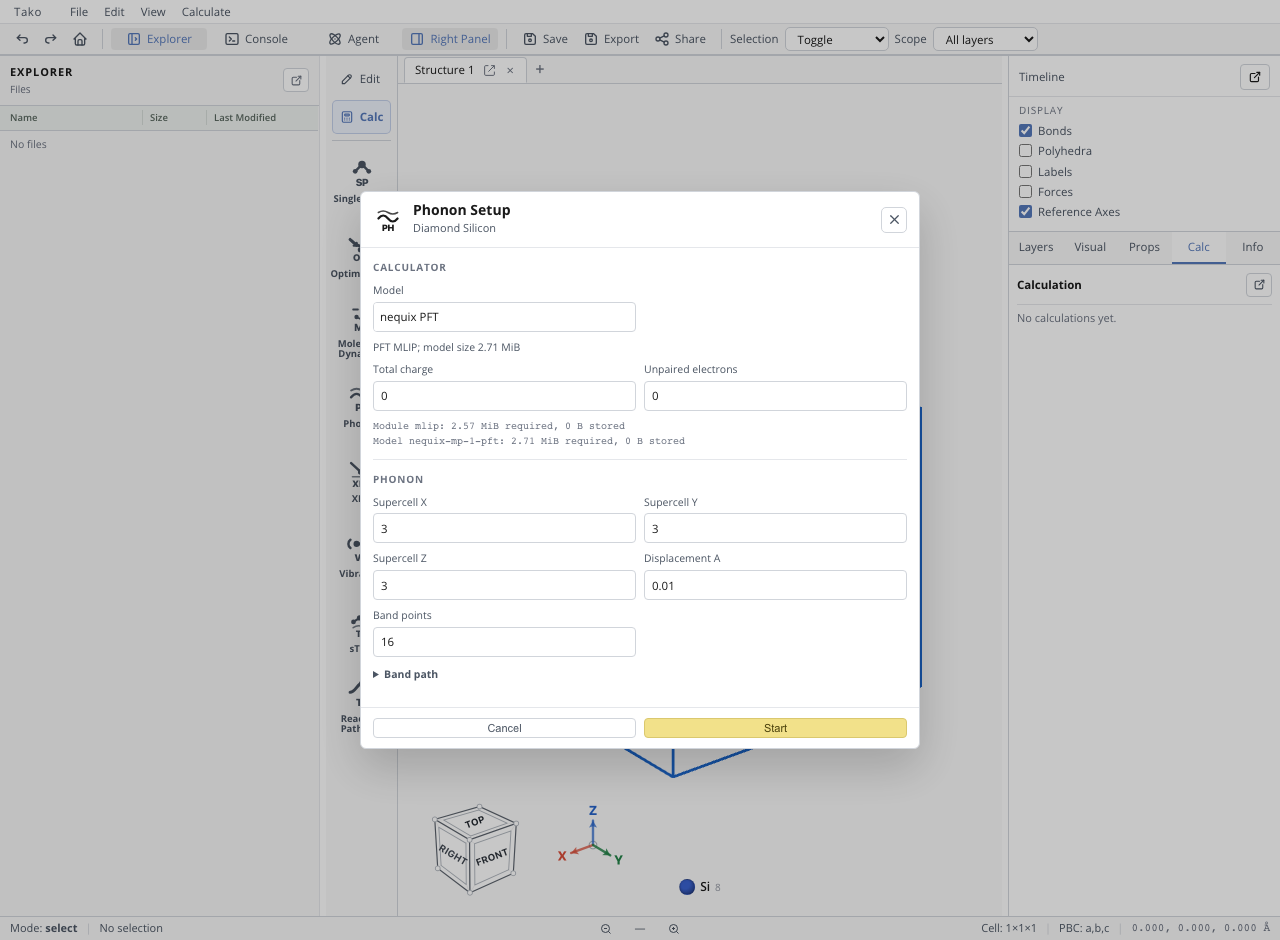
Expected state. Explorer receives phonon result, band, and density-of-states artifacts. Open phonon_band.json in the Calc panel.
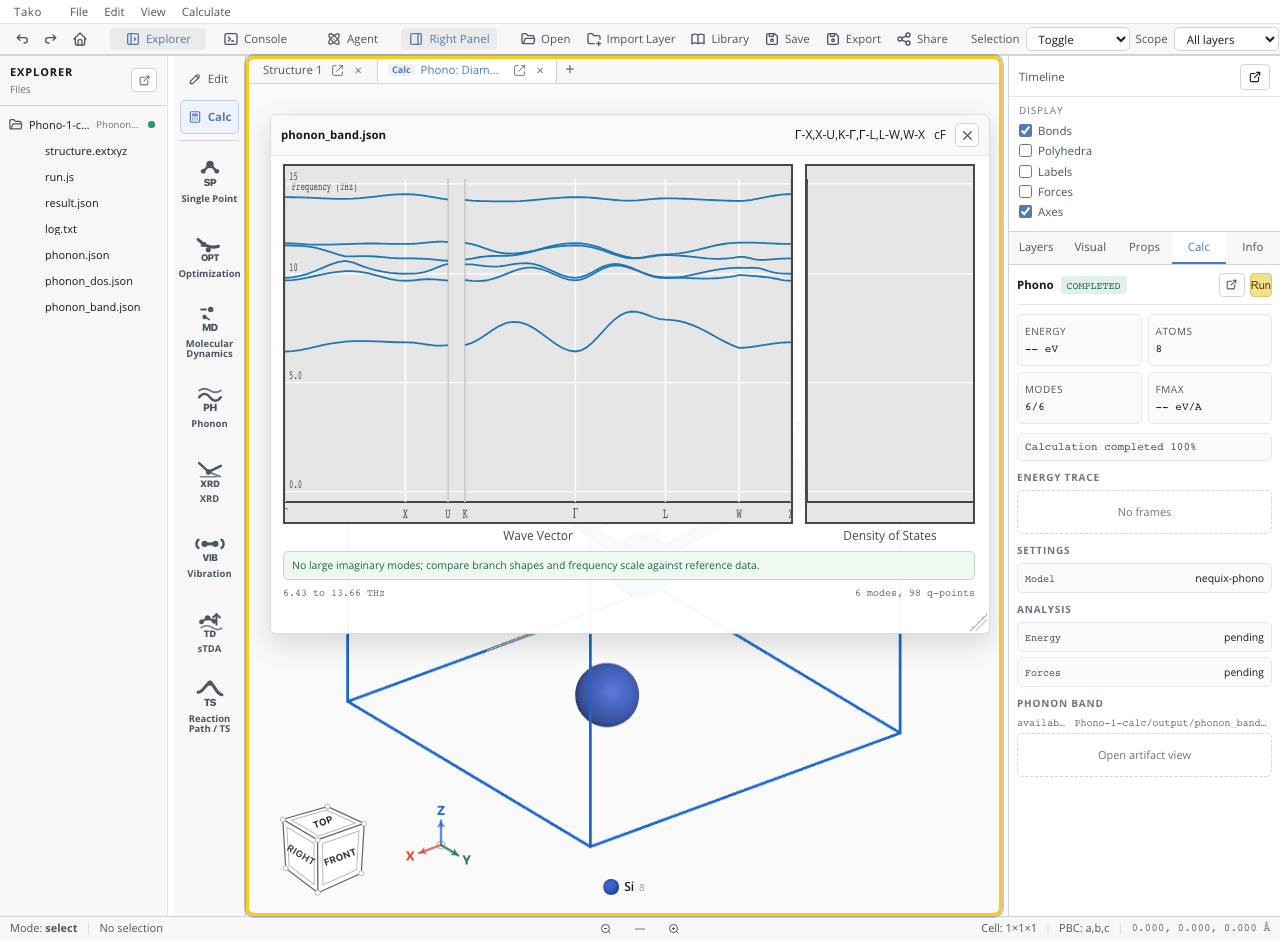
Checkpoint. Diamond silicon has three acoustic and three optical branches for its two-atom primitive cell. The quick finite-displacement setup can leave small zone-center offsets; the important failure signal is a large, persistent imaginary branch rather than a tiny numerical dip near Γ.
Step 4: Inspect DOS and PDOS
Action. Open Single Point, select GFN2-xTB, leave Dispersion on Default - D4, enable DOS and PDOS, and start the run. Do not request expensive volumetric outputs for this tutorial.
Expected state. The new calculation folder contains dos.json and pdos.json. Open the PDOS artifact.
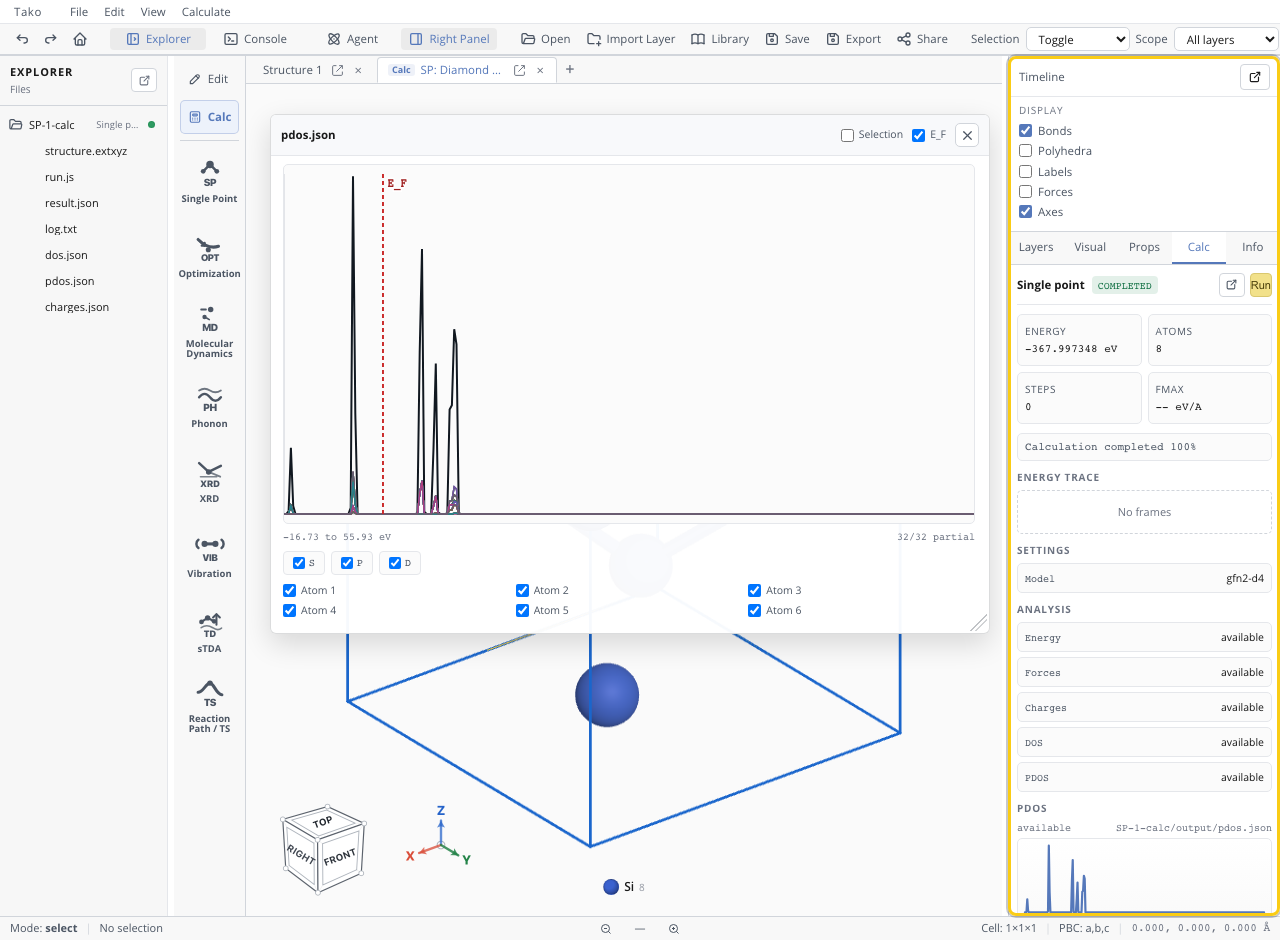
Checkpoint. The plot should look semiconductor-like, with low density near the Fermi level and occupied/unoccupied regions on either side. Treat the size of the GFN2 gap as qualitative; accurate electronic gaps require a method validated for that property.
Check your result
| Check | Pass condition | If it fails |
|---|---|---|
| Periodicity | Valid cell and periodic structure | Reload the crystal rather than a molecular file |
| Relaxation | Converged under the MLIP force gate | Inspect trajectory and increase/tighten as justified |
| Phonon input | Uses the relaxed MLIP structure | Reopen the final relaxation structure |
| Phonon stability | No large imaginary branch | Tighten relaxation, enlarge supercell, or validate model |
| DOS availability | GFN2 selected with DOS/PDOS requested | MLIPs do not generate electronic DOS |
| Energy comparisons | No MLIP/GFN2 absolute energies mixed | Keep each comparison within one method |
Common problems
| Symptom | Likely cause | Fix |
|---|---|---|
| Phonon run is unexpectedly expensive | Supercell multiplies atom count and displacements | Test a smaller defensible setup before scaling |
| Imaginary branches remain | Residual forces, finite-size error, or genuine instability | Tighten relaxation and test supercell/model sensitivity |
| DOS/PDOS options are unavailable | An MLIP is selected | Switch only this single point to GFN2+D4 |
| Plot is read as an electronic band structure | Phonon bands use frequency, not electron energy | Check axis units and artifact name |
| GFN2 gap differs from experiment | The method is qualitative for this property | Validate with appropriate electronic-structure theory |
Choosing a Method develops the model-domain decisions used here. Crystal Phonons and Lattice Dynamics derives the harmonic and finite-displacement theory.